> ## Documentation Index
> Fetch the complete documentation index at: https://docs.commercepay.asia/llms.txt
> Use this file to discover all available pages before exploring further.
# Payout Integration
> Transfer funds to external recipients via bank account or DuitNow Proxy.
Enable merchants or platforms to **transfer funds to external recipients**, such as bank accounts, merchants, partners, or users, through a secure and automated process.
Using the Payout API, businesses can programmatically initiate fund transfers, track payout status, and manage disbursements efficiently without manual intervention.
## Available Payout Types
A payout method where funds are transferred directly to a recipient's bank account. This method routes the payout through the traditional banking network. It is suitable when the recipient's bank account details are available.
**Required Information:**
* Bank Code
* Account Number
* Account Holder Name
This method requires the **"Bank Code"** to be passed into the **ProviderChannelId parameter** when performing the payout API.
You can refer to the bank codes [here](/docs/payout-provider-channel) or retrieve them from the [Get Provider Channels endpoint](/api-reference/get-provider-channels).
A payout method where funds are transferred using a DuitNow Proxy ID instead of bank account details. DuitNow Proxy allows payouts using a unique identifier linked to a bank account. This eliminates the need to provide bank account details, making the process faster and more convenient.
**Supported Proxy Types:**
* Mobile Number
* National ID (NRIC)
* Business Registration Number
This method requires the **"Proxy Type"** to be passed into the **ProviderChannelId parameter** when performing the payout API.
You can refer to the Proxy Type [here](/docs/payout-provider-channel).
**Take Note:** Ensure that the provided proxy information is registered with DuitNow Proxy and linked to a valid bank account when performing payouts using this approach.
## Payout Wallet
It is a virtual wallet in the system used to hold funds and perform payouts.
To initiate a payout, you are required to create a wallet and top it up with a sufficient balance.
For more information on setting up and topping up the wallet, please contact our administrator.
### Payout Wallet Details
You can inquire about payout information via API endpoints or verify it through the CommercePay Back-Office portal.
**API Endpoint:**
* [QueryWallets](/api-reference/payout-api-querywallets) – An API endpoint used to retrieve wallet details.
* [QueryWalletHistory](/api-reference/payout-api-querywallethistories) – An API endpoint used to retrieve wallet transaction history.
**Back-Office Portal**
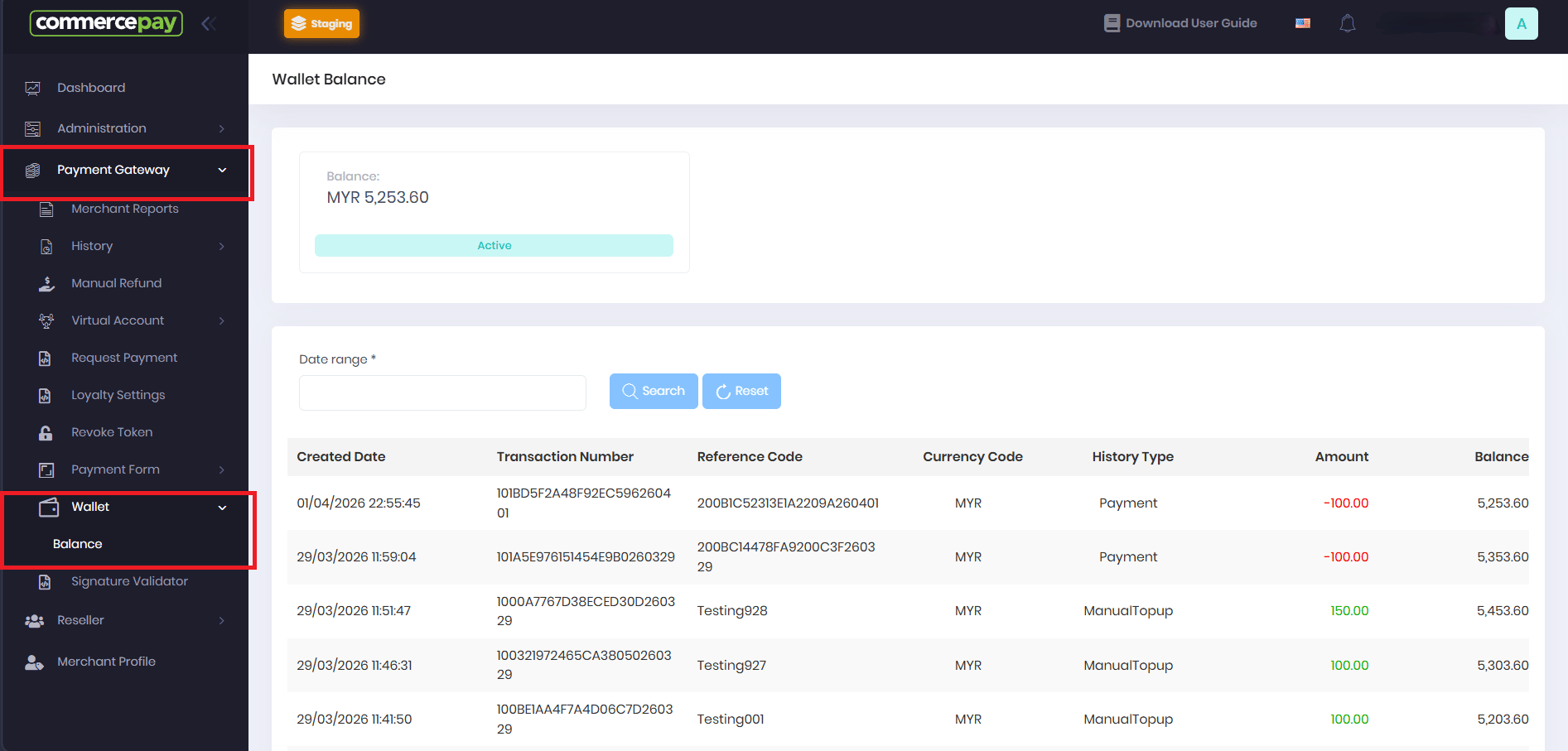 You can verify the payout transaction history and wallet balance in the wallet section of the CommercePay Back-Office portal.
## Payout API Reference
You can verify the payout transaction history and wallet balance in the wallet section of the CommercePay Back-Office portal.
## Payout API Reference